
 By
By 
Pitch deck tracking is how you see who opened the deck you sent an investor, when, and how far they read. It works by replacing the PDF attachment with a tracked link: a web page that logs every view instead of a file that disappears into an inbox. The signal is worth more than the notification. In DocSend’s 2020 study, investors spent over four minutes on the decks that went on to raise and about 90 seconds on the ones that didn’t. We watch founders chase silence for weeks. The view data ends the guessing.
Can you actually see who viewed your pitch deck?
Yes, you can see who viewed your pitch deck, but only when you send a tracked link instead of a PDF. The link records who opened the deck, when, how long they stayed on each slide, and whether they forwarded it onward. A raw PDF emailed as an attachment tells you nothing once it leaves your outbox.
There’s one catch that quietly breaks the whole thing. Send the same link to 60 investors and you get 60 anonymous views, with no way to know which firm is reading. So the fix is boring and non-negotiable: one unique link per investor. That single habit is what turns an open into a name you can act on, and it’s the step the founders we work with skip most often.
Common mistake
One link sent to your whole list returns one anonymous blur. Generate a separate tracked link for every investor, or the data is useless before you collect it.
What the view-time number actually tells you
The view-time number tells you how seriously an investor is taking your deck, and it tracks the outcome more closely than most founders expect. DocSend’s research is blunt: decks that raised held attention for over four minutes, while the rest were dropped near the 90-second mark. That gap is the whole reason tracking is worth setting up.
Fresh data says the skim is still brutal. Papermark’s 2024 analysis of roughly 3,000 fundraising decks, drawn from more than 8 million data points, puts the average read at 3.2 minutes, with 23 seconds on the first slide and about 15 seconds on each one after. Thirty percent of investors spend longer on that first page than any other, and how long investors spend on a pitch deck has only fallen since. A four-minute view, then, isn’t a polite skim. It’s someone who slowed down.
A view is a starting gun, not a finish line. It tells you to follow up fast, not that you’ve already won.
We read the pattern, not the raw total. Repeat views matter, and so do multiple viewers from one firm, which usually means the deck moved internally before a meeting. Hummingdeck’s tracking guide lays out a similar read: a long session earns a same-day reply, a return visit after a quiet week earns a faster one, and a single short view goes back into the standard sequence. Use the number to set timing, then move that investor along your pipeline tracker.
Not every view is a person, though. A single quick open from an unfamiliar location is often an assistant pre-screening the inbox, or a link scanner that fired the second your email landed. One session that jumps across five slides in four seconds is a bot, not a partner. The reads worth your attention are the slow ones and the repeat ones, ideally from a named link you sent to a specific firm. Everything else is background noise, and we tell founders to let it stay there.
StartWise's position
A deck dies in the first 90 seconds of a skim, so the only engagement number that matters is whether this investor survived it. A view is a pipeline signal, not a verdict, and you act on the slope, not the ping.
How to set up deck tracking in a few minutes
Setting up deck tracking takes about five minutes and three small decisions. Pick a tool, upload the deck, and generate one link per investor before you send a single email. Papermark’s own walkthrough runs to seven steps, but the core sequence is short:
- Upload your deck to a tracking tool and confirm the link previews cleanly on mobile.
- Generate a separate link for each investor, labeled with their name so the dashboard reads at a glance.
- Set the gate (the next section covers this), then turn on view notifications.
- Paste the link into the body of your email. Never send the deck as an attachment.
- After each send, log the open against that investor and the date.
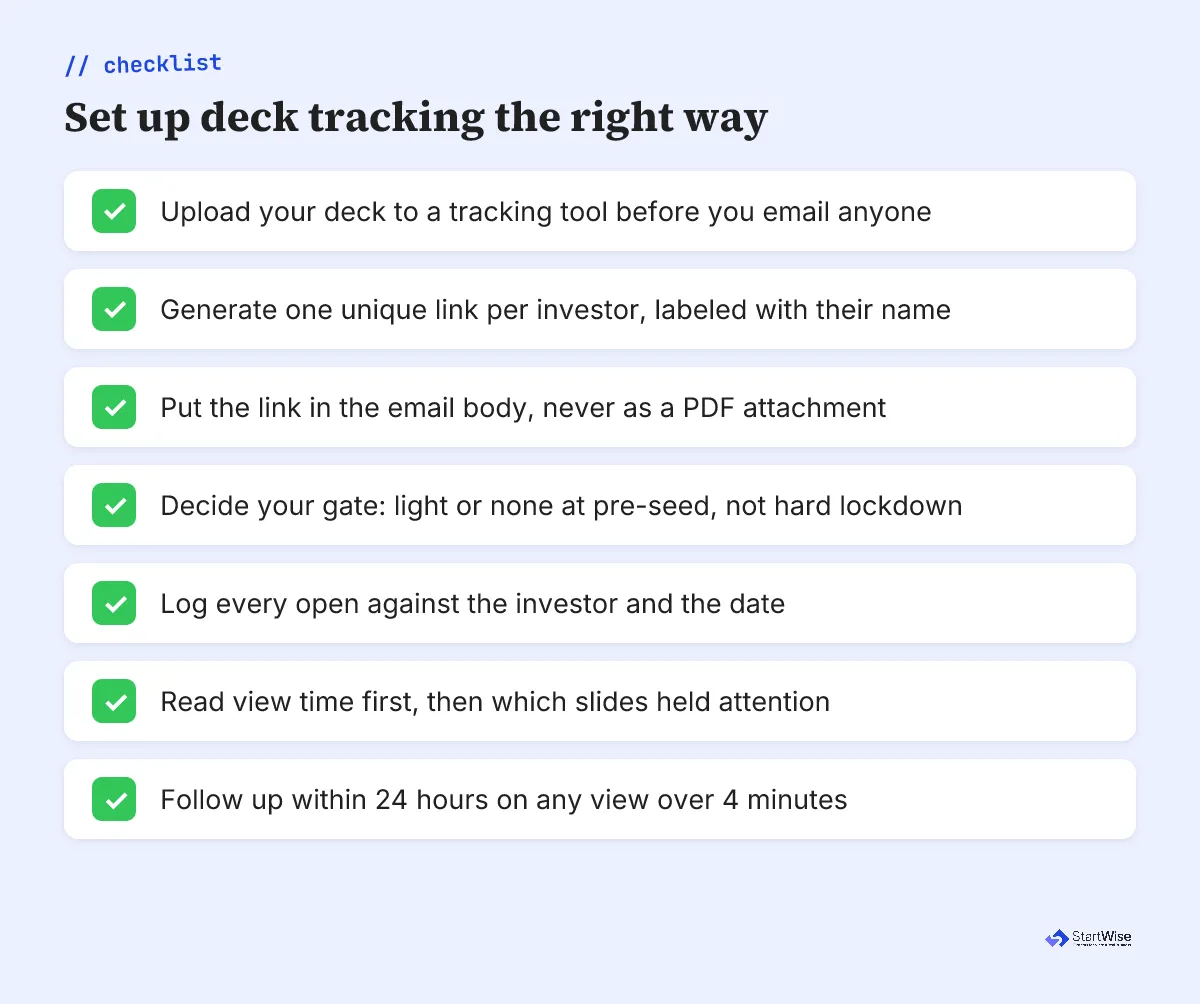
Privyr’s playbook adds one habit worth copying: brand each link so the page that loads looks like you, not a generic file host. Small thing, but it reads as deliberate, and at pre-seed every signal of care helps. We tell founders to test their own link once on a phone before any of it goes out.
Should you gate your deck behind an email wall?
Gating your deck behind an email wall forces every viewer to type their address before the slides load. It identifies anonymous openers, and it costs you opens. The warm reader skimming on a train will often bounce rather than fill in a form, and that’s the exact reader you wanted.
My honest take: at pre-seed, default to a light gate or none at all. You already know who you sent each link to, so a hard gate buys you little and friction-kills the casual open you needed most. Save the lockdown for the data room, where identity actually matters and the reader has already raised their hand. Share that data room only after an investor shows interest, never in the first cold email.
A gate also changes what your tracking means. With a hard wall, an unidentified view often means someone abandoned the form, not the deck, so you lose the very signal you set out to capture.
Tracking each investor by hand gets messy fast. StartWise shares your deck, tracks every view, and routes you to investors for your stage.
Which deck-tracking tool should you use?
The right deck-tracking tool depends on whether you want tracking alone or tracking wired into the rest of your raise. DocSend is the long-standing default for pure document analytics. The fundraising platforms fold the same view data into outreach, pipeline, and data rooms, which is where we’ve watched solo founders save the most time.
| Tool | Free tier | What it tracks | Best for |
|---|---|---|---|
| DocSend | Limited | Time per slide, forwarding | The industry-default standalone |
| OpenVC | Yes | Views inside a fundraising CRM | List plus tracking in one |
| Papermark | Yes, open-source | Page analytics, watermarking | Free and self-hostable |
| Visible | Yes | Views plus investor updates | Tracking plus reporting |
| StartWise portal | Yes | Views tied to your pipeline | Deck, data room, outreach together |
Honest read: if all you need is a tracked link today, Papermark or OpenVC get you there for free in minutes. The platforms earn their place once you’re juggling 40-plus investors, parallel threads, and a data room, because that’s when standalone trackers stop talking to the rest of your process. Match the tool to where your raise actually is.
What to do this week
Start with the deck you’ve already sent, because the fix is fast and the payoff is this week’s follow-ups. Tracking only works if you wire it into how you run outreach, so treat these as one routine, not five tools.
- Move every investor to a unique tracked link, even the ones you emailed last week.
- Drop the hard email gate if you’re using one. Keep it light at this stage.
- Each morning, scan view time before opens. A four-minute read outranks ten 30-second glances.
- Follow up within 24 hours on any long or repeat view, and reference the section they lingered on.
- Log each open against your pipeline so the signal turns into a next action, not a dopamine hit.
Tracking won’t raise your round, and it won’t fix a deck investors drop at slide three. What it does, in the raises we watch, is replace guessing with a real read on who’s leaning in, so you spend your follow-up energy where it pays. Pair it with a tight pre-seed raise process, and the question stops being who opened it. It becomes who’s next.